
Fabric can hold data tables from a variety of data sources in its workspaces and lakehouses. This is great news for Power Platform, because we can now consume this data via virtual tables into dataverse. For those of you, who have used virtual tables in the past and groaned at the complexity of the configuration, grab a cup of tea and smile as its all got “Low-Code” easy.
There are still some caveats, we do need the table we want to read in fabric to have a Primary key, you do need access to the Fabric workspace and lakehouse containing the data. Note:- this is read only from Fabric lakehouse.
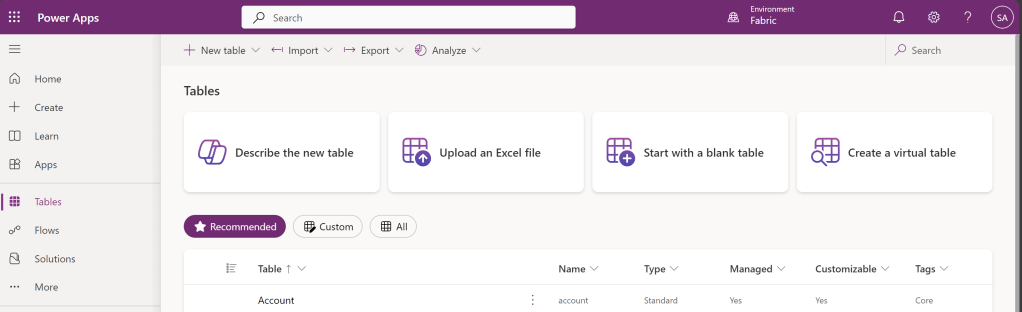
In the Power Apps Maker portal, click on Tables, on the left menu. Then click on “Create a Virtual Table” on the top right hand side.
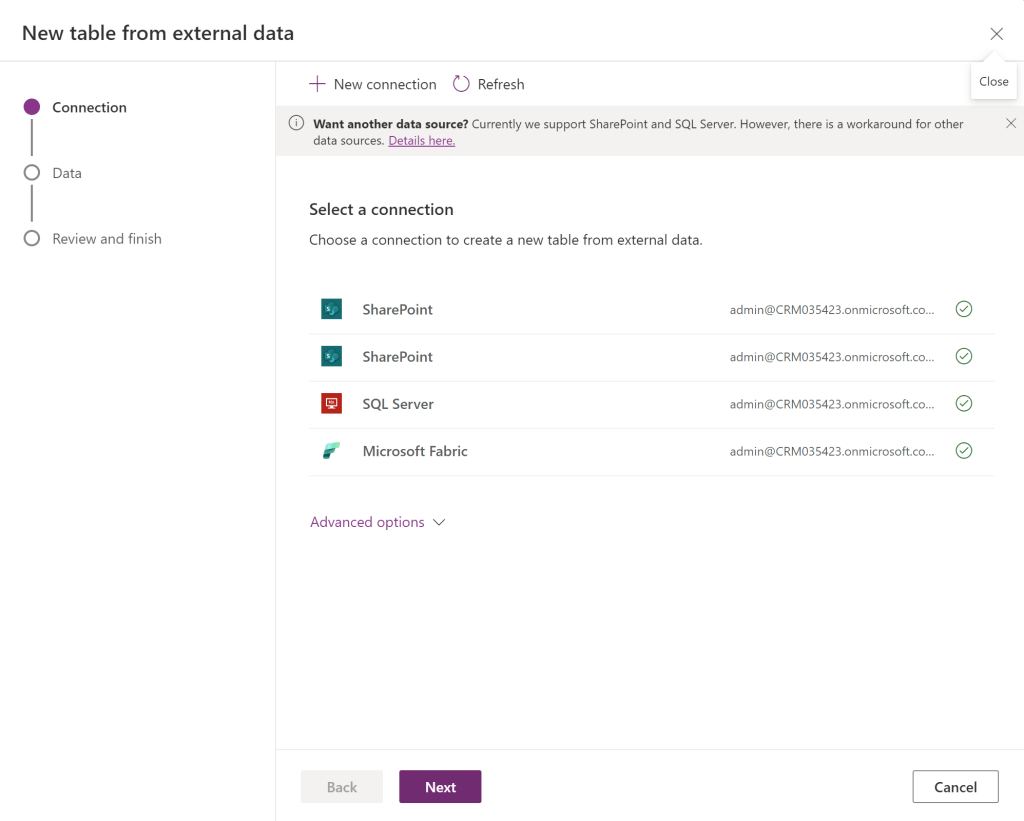
You will now see connectors that are available in your environment already. Note:- the new Fabric Connector has appeared. Click on it (its doesn’t highlight when clicked)
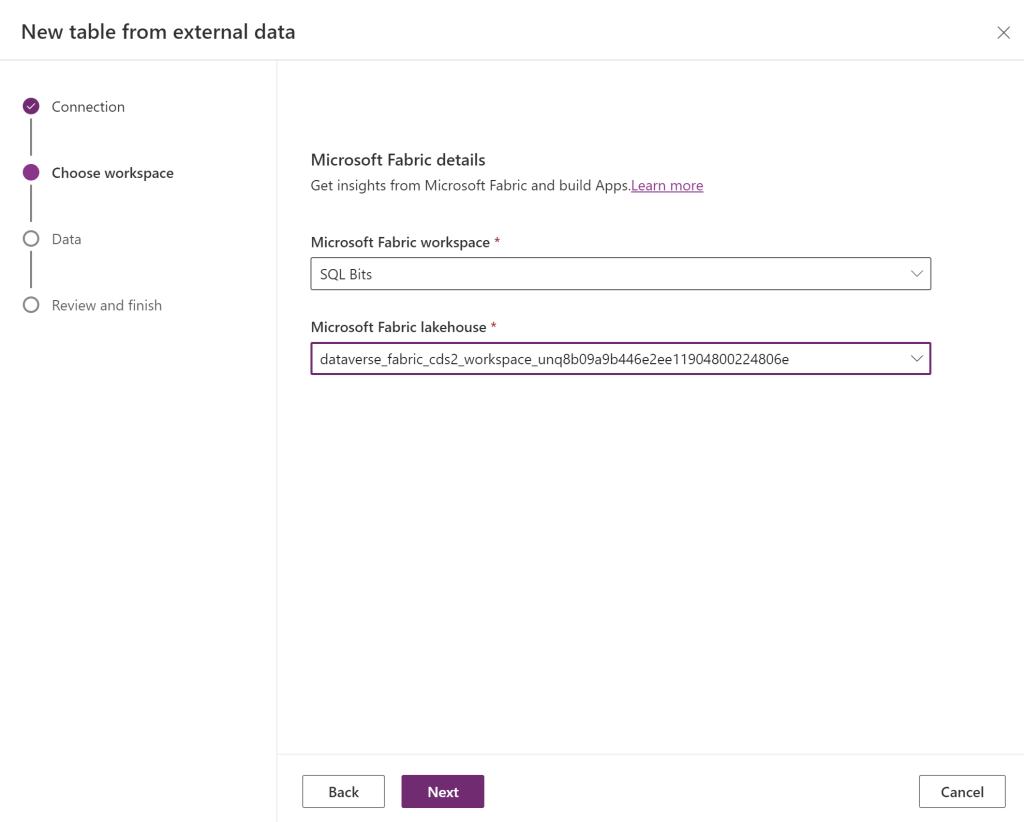
It should now let you choose the fabric workspace and lakehouse you want to connect to.
Chose the table you want to read.
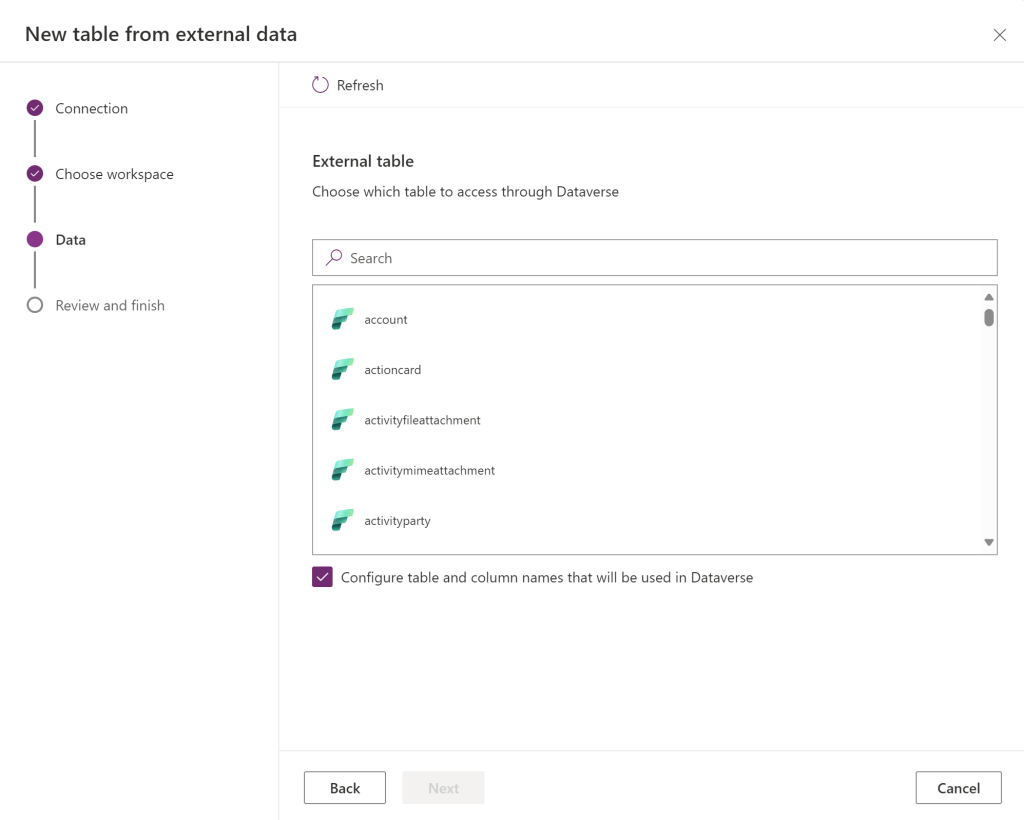
If you ticked “Configure table and column names that will be used in dataverse, you will see this next screen. Where you can edit the table and field mappings
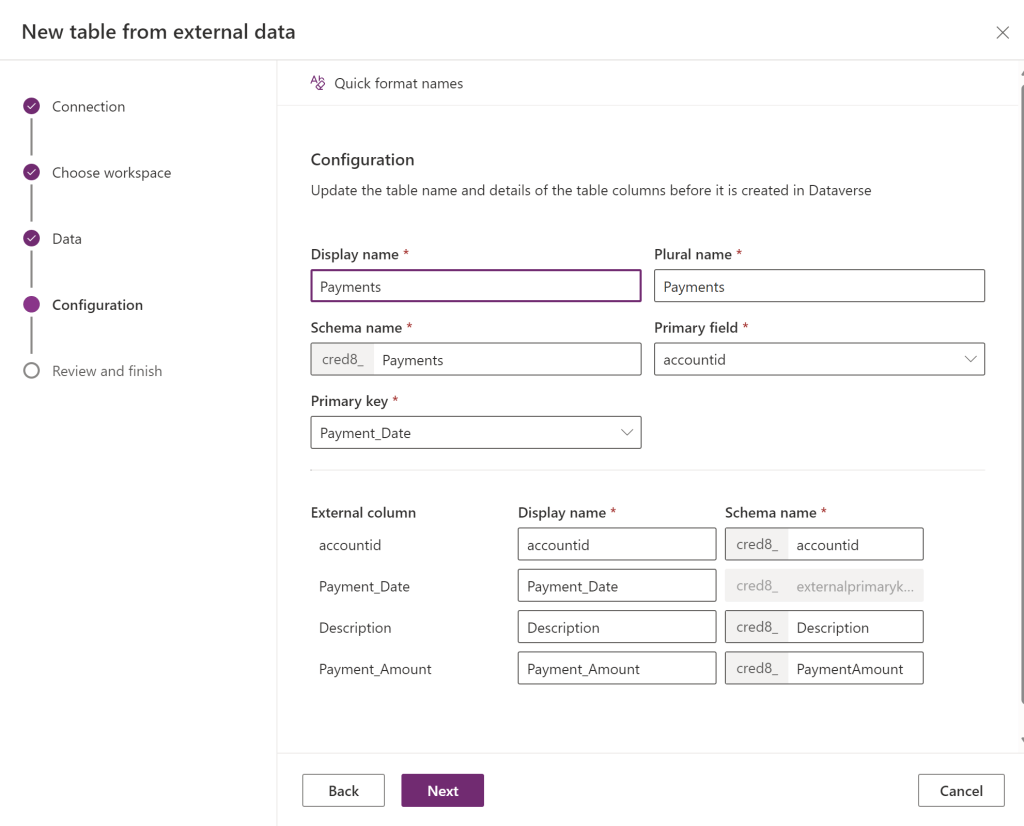
you then get this screen ,
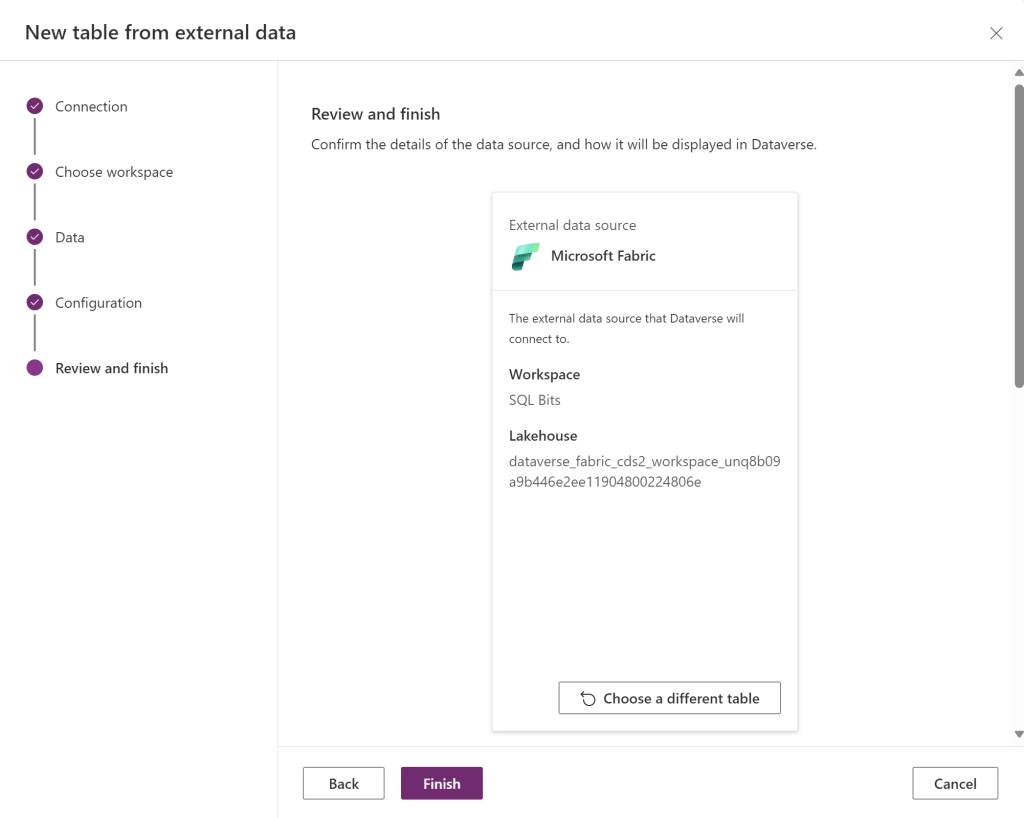
Dont forget to scroll down the screen so you have the ability to edit the table.
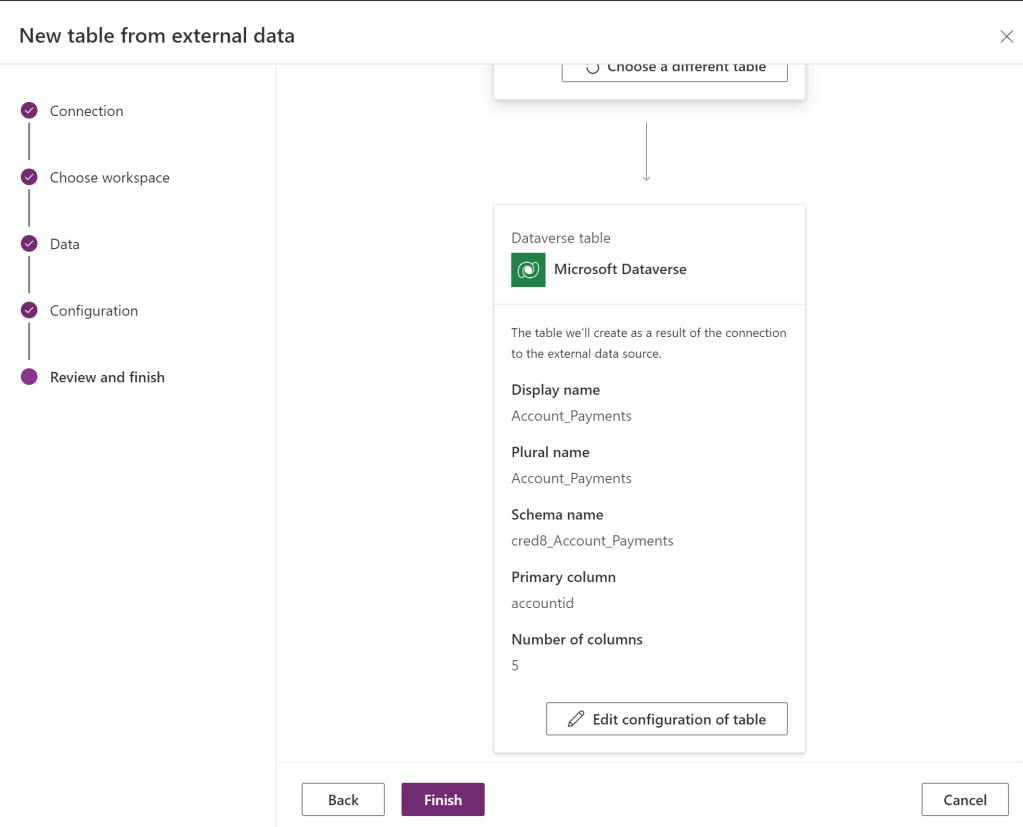
once you press Finish, your table will appear ready to use.
NOTE: this is still a bit of a work in progress and will keep changing (and possibly breaking). I will update again as this settles down.
 Platform Guardian