
We are quite familiar with using App Insights on Canvas Apps to review the users, performance and sessions, but we can also use App Insight to monitor our environments.
Fancy recording some of that nice telemetry we get in the admin centre, then look no further.
Just like App Insights for Canvas Apps, we need to start in Azure
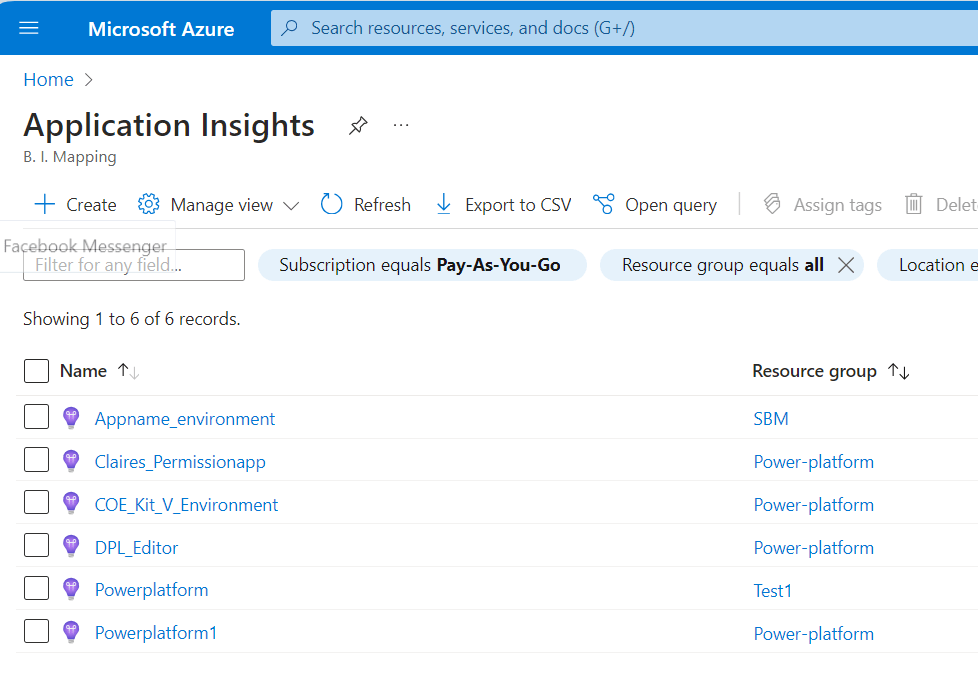
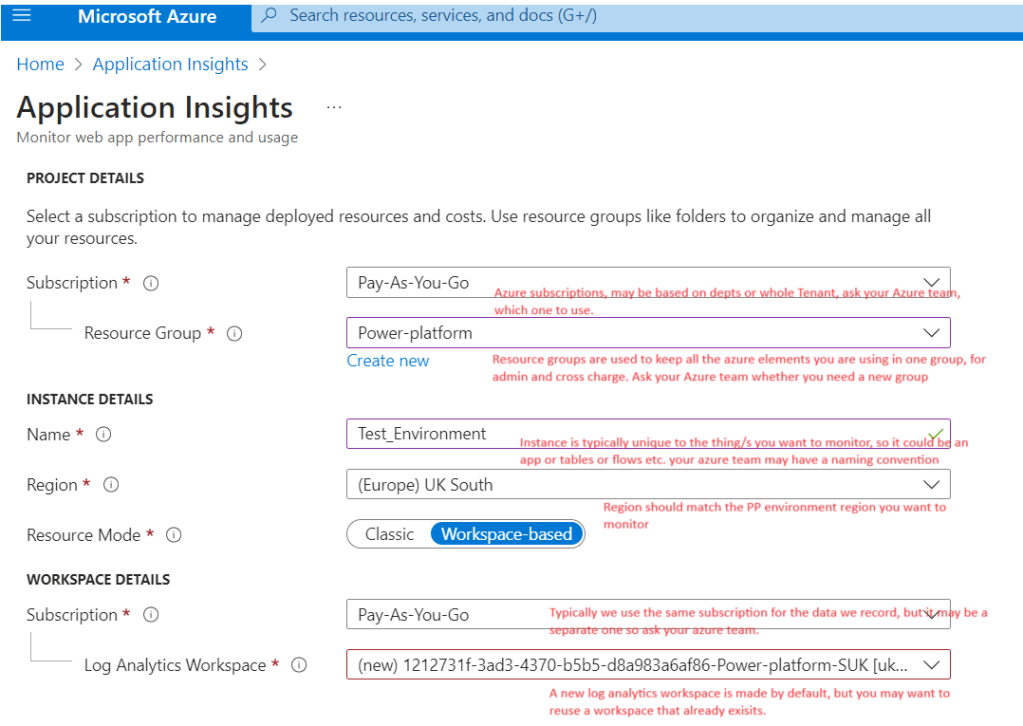
Choose your subscription, resource group, instance and workspace
Note. you can apply Tags to identify different resources within a resource group; this is not essential, but it is good practice if you plan to do multiple apps or environments
Review and create your app insights; this takes a few minutes and will tell you when the resource is created.
Now, back in the power platform admin centre
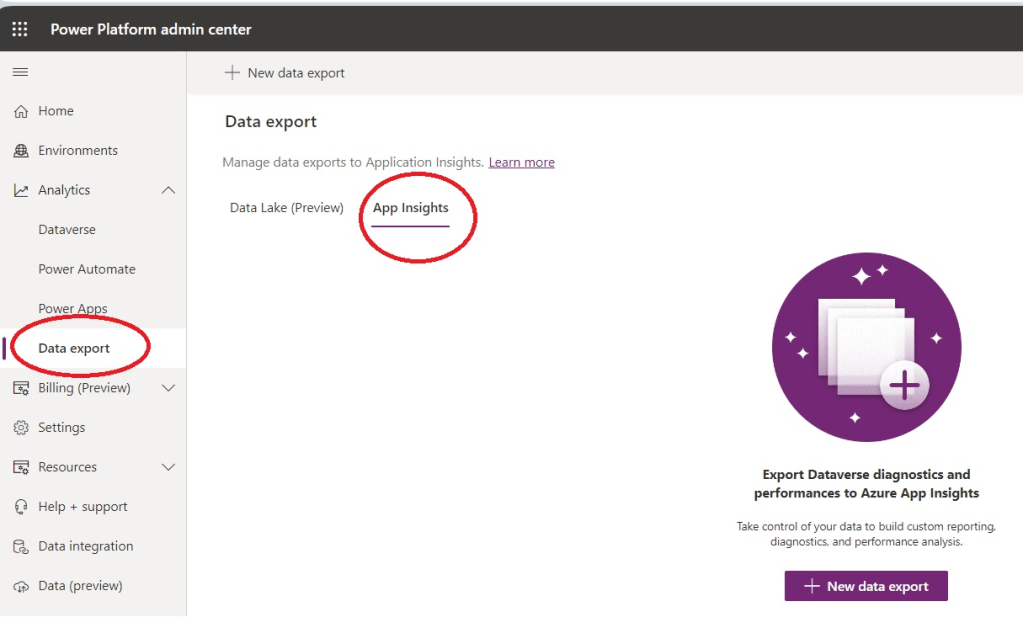
Create New data export to App Insights
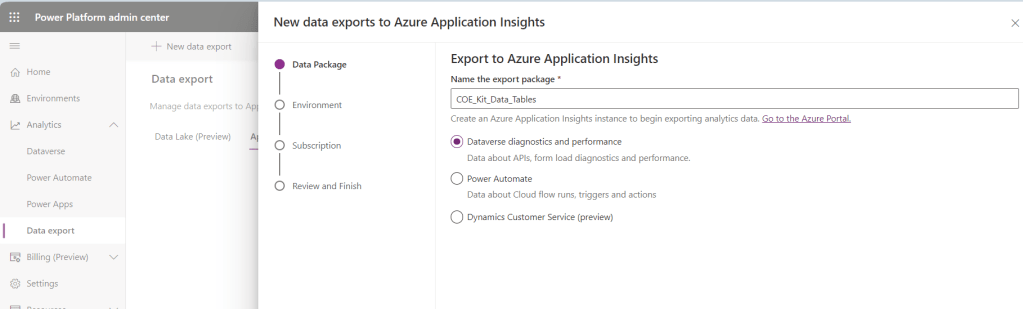
If we want to record Model-Driven apps and Dataverse tables, choose this option of Dataverse Diagnostics.
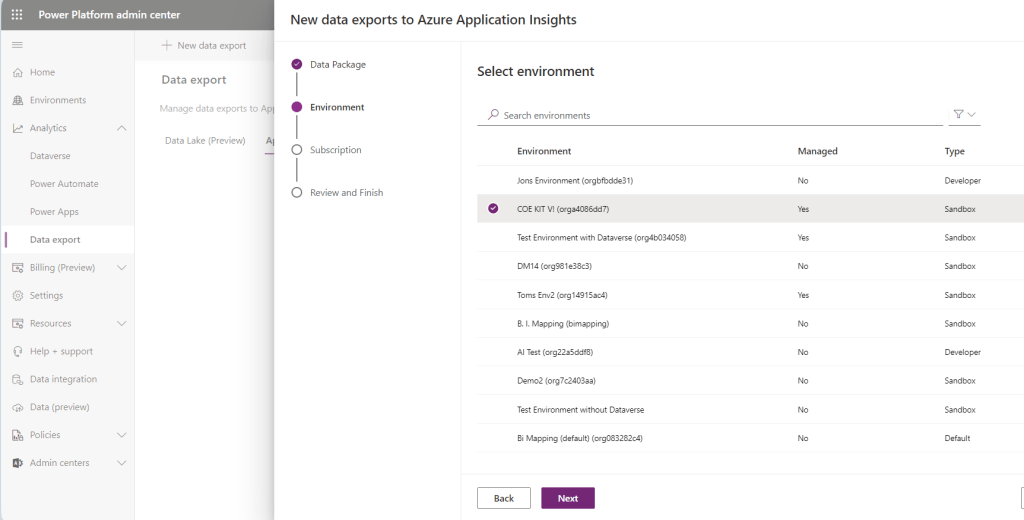
Choose an environment
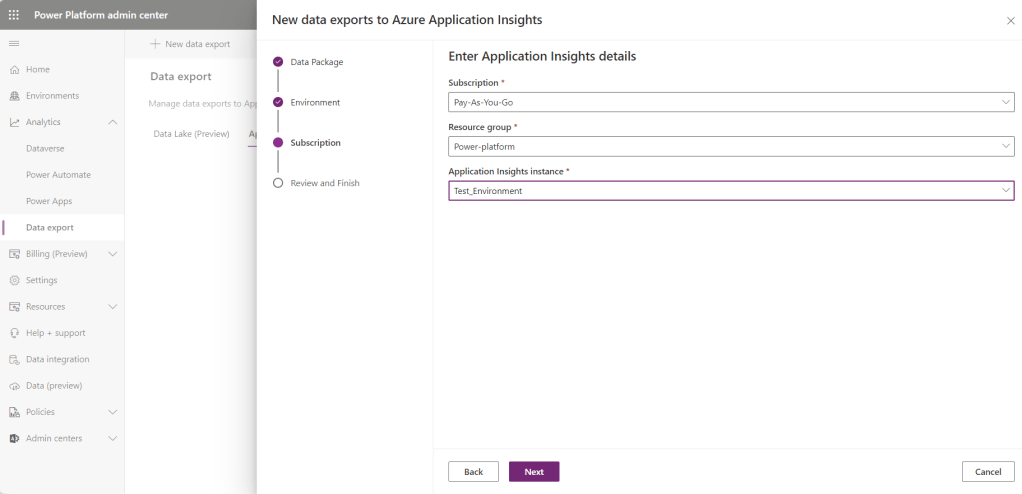
Pick the Subscription, resource groups and app Insights instance you used earlier, then Review and create. Now it’s time to let it sync with Azure. To see meaningful data, it is worth leaving 24hrs whilst activity is recorded in your environment.

So what can we see in our app Insights?
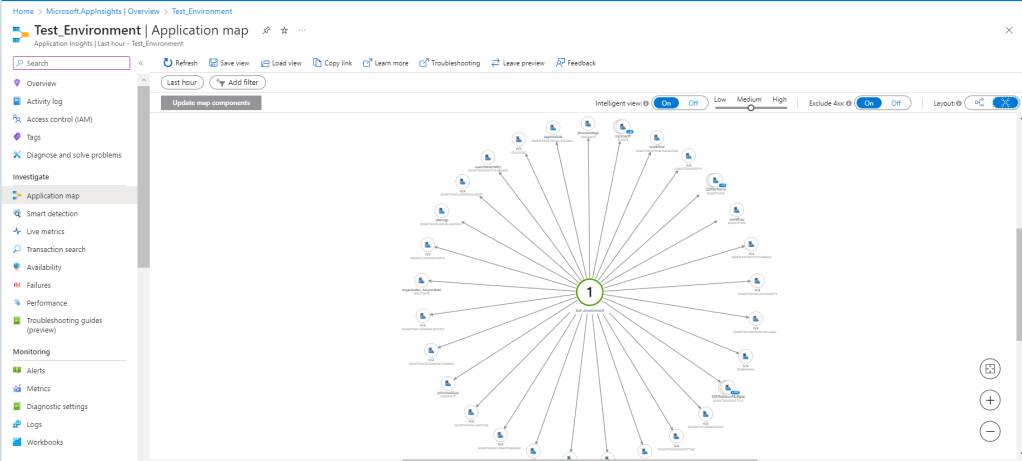
The application map shows you all the calls, how many and how long they are taking.
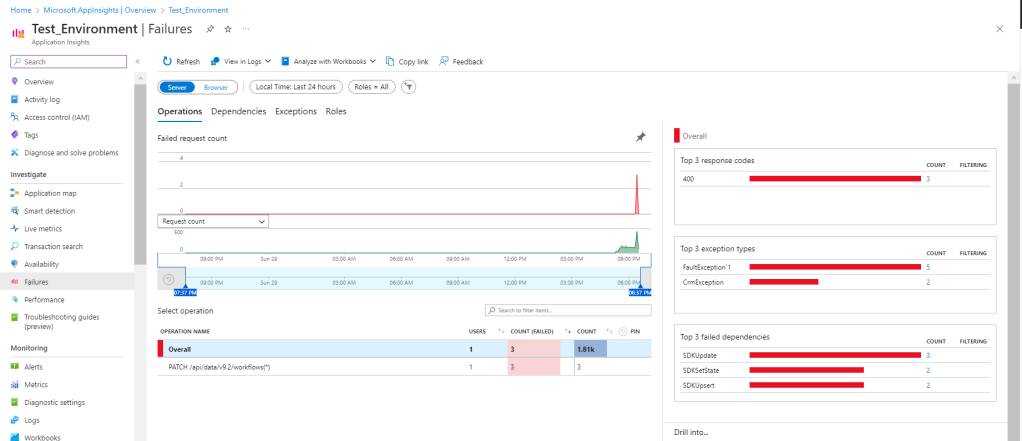
Failures
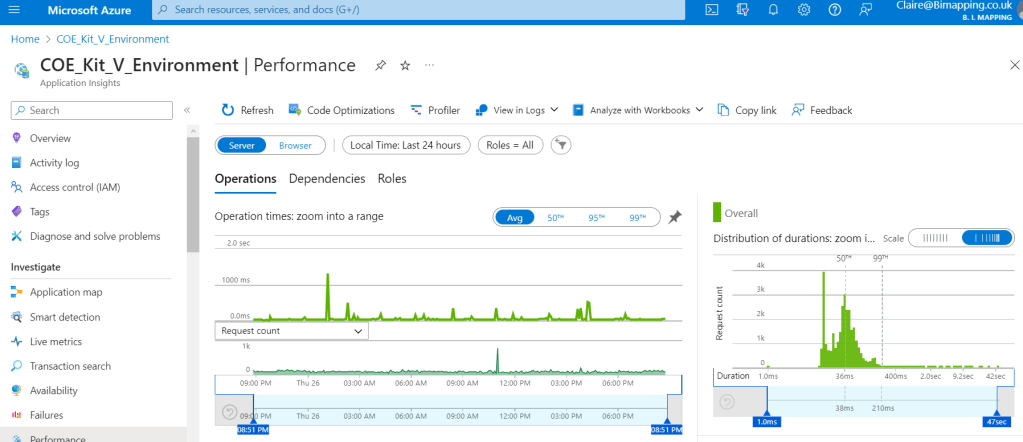
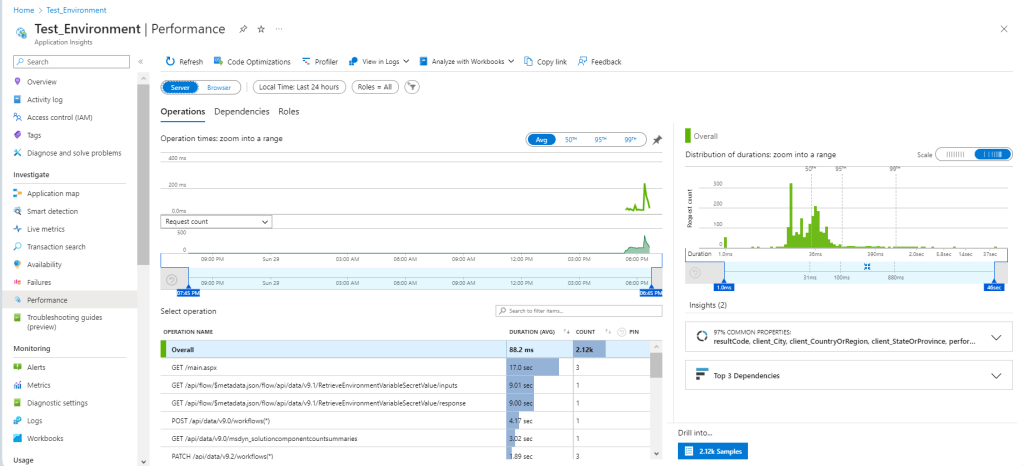
Performance
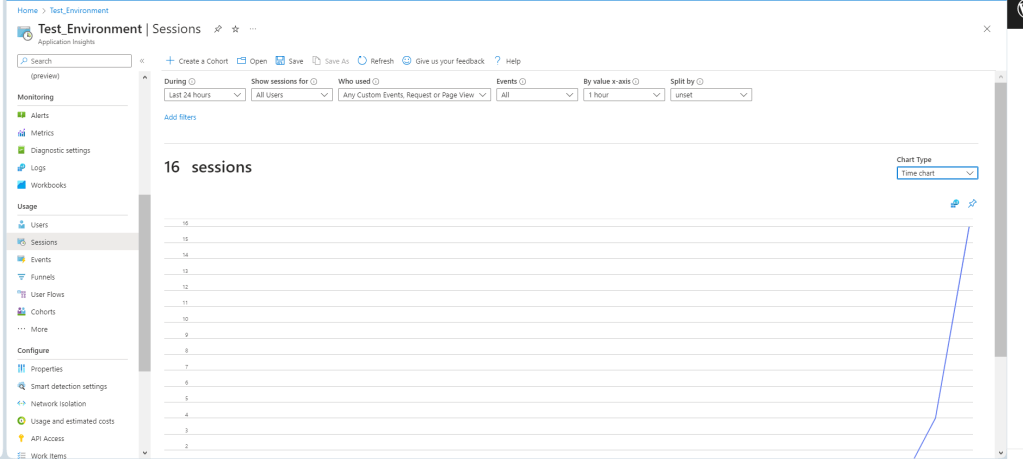
Users, Sessions and Events are all useful once you get actual activity in your environment.
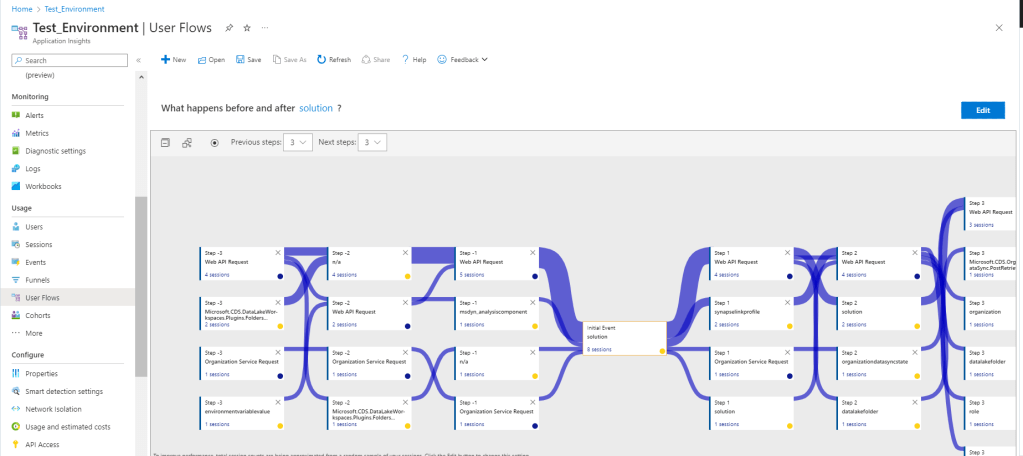
User Flows can be interesting, but you need to know what event you want to map.
For more information on monitoring Model-driven apps in particular.https://learn.microsoft.com/en-us/power-platform/admin/telemetry-events-model-driven-apps#what-kind-of-page-loads-are-available
For more information on monitoring dataverse https://learn.microsoft.com/en-us/power-platform/admin/telemetry-events-dataverse
As this develops, I am sure we will find a lot more useful telemetry available to us this way. Using App Insights in this way means that Azure Monitor can also read and track these activities.
I will do a separate article on monitoring Power Automate, just in preview.
 Platform Guardian